
...
- Raise a request via Service Now, support will assign the users with JIRA access permission
- Access to the project you wish to assign access permission to users
- Select Project Settings > Users and roles > Add users to a role > Users or groups
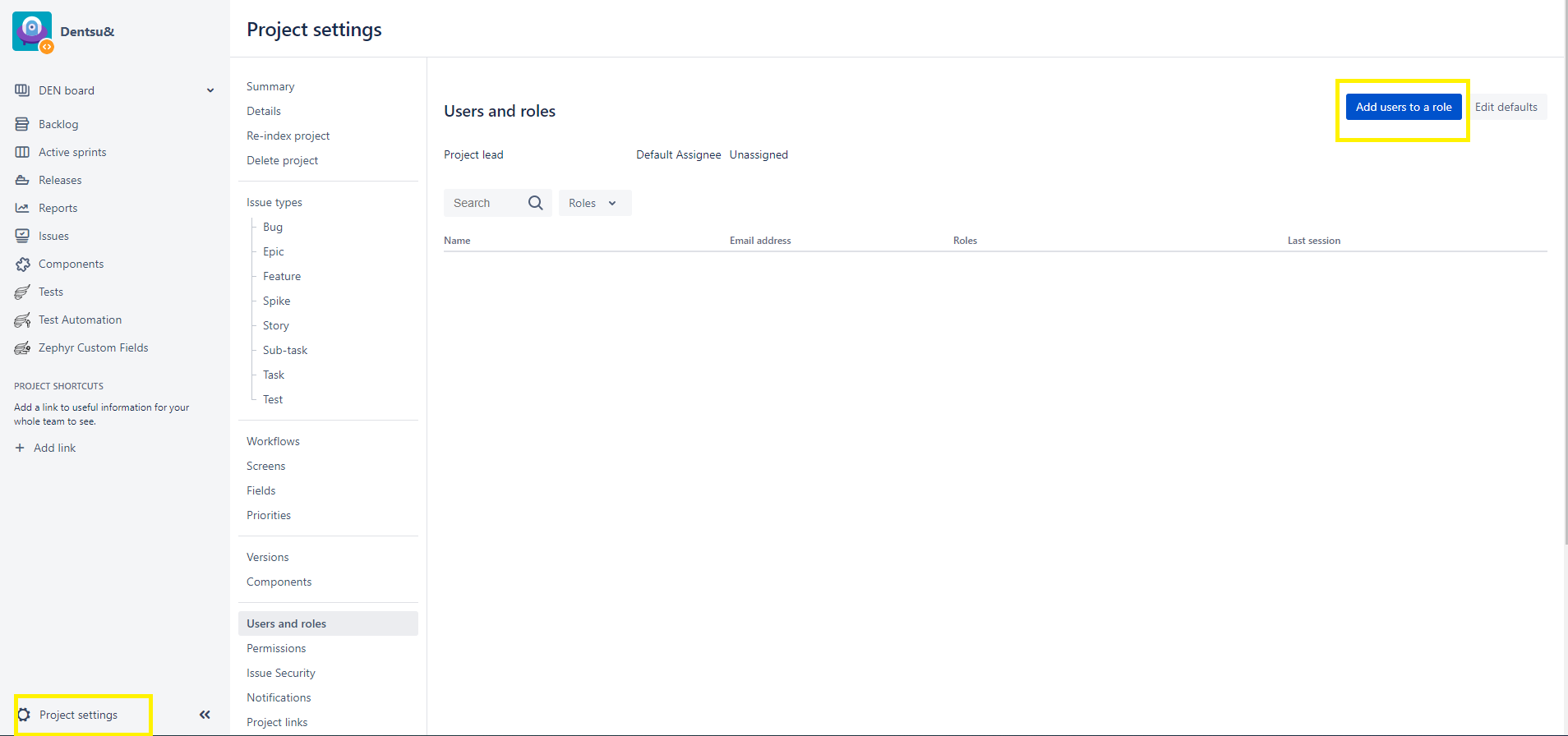
- Enter the users you would like to grant access in this specific project
 Can add multiple users in users or groups field
 - Under Role, choose the correct role to be assigned to users
Role Reference:-
Role Description Permissions Administrators Project admin for the specific project Full project permission Users Standard users for the specific project
Browse Project, Create Tickets, Add Comment, Transit Ticket Status, Manage Sprints, Work on tickets in the project Others Please do not select other's roles in the list as there is no configuration done. No permission
Project Admin for each project as of (21 April 2021)
Project Name Project Admin User Dentsu& Smita Shirole, Ketan Kale, Rex Lampier, Sandeep Padelkar, Varun Jindal, vikram sharma Isobar Global - dentsuMB corporate site build Aakash Kumar, lan tu Abbott DWS India COntent Production Vikram Morey Aakash Kumar