
 You must be a project admin in the project in order to perform the below actions.
- Raise a request via Service Now, support will assign the users with JIRA access permission
- Access to the project you wish to assign access permission to users
- Select Project Settings > Users and roles > Add users to a role > Users or groups
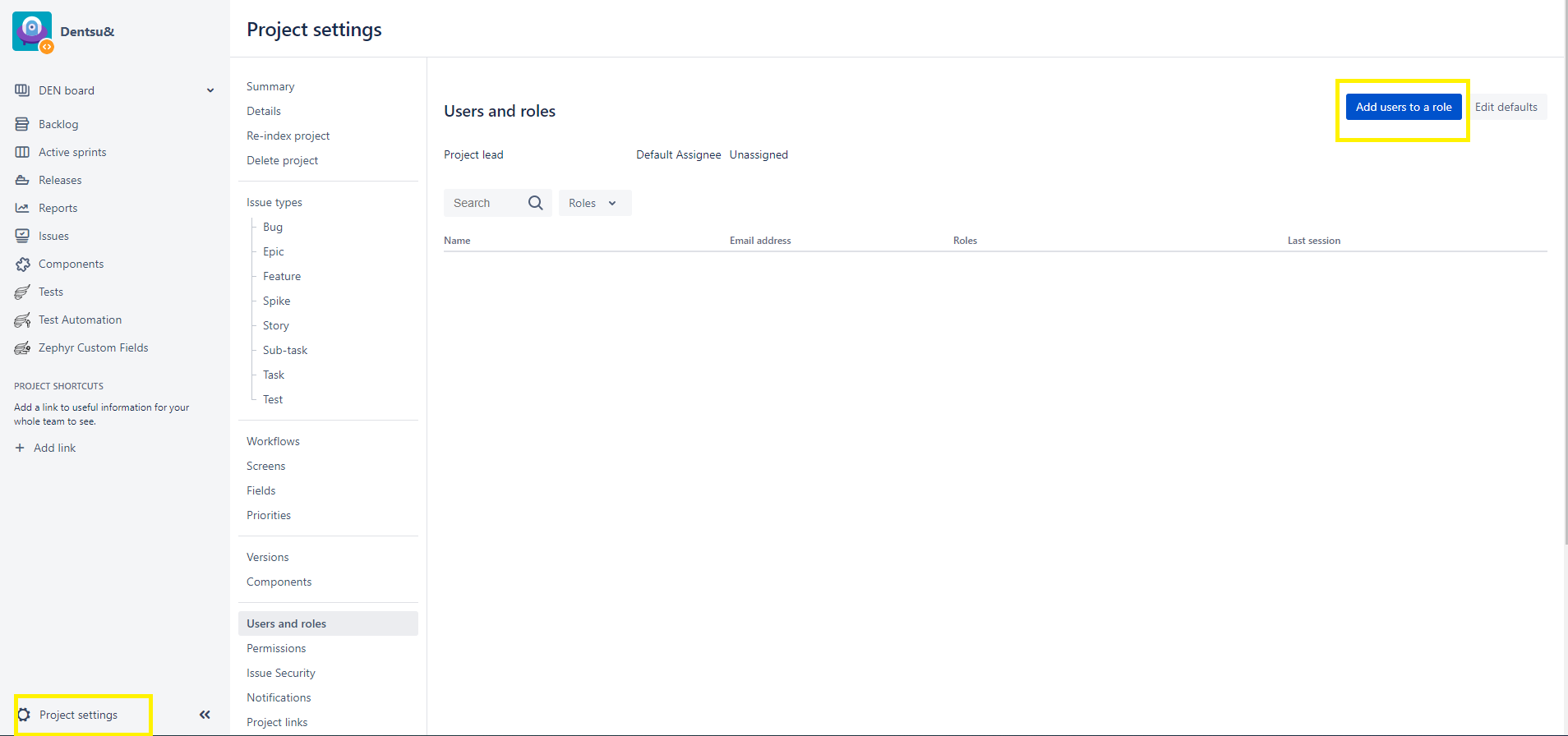
- Enter the users you would like to grant access in this specific project Can add multiple users in users or groups field
- Under Role, choose the correct role to be assign to users
Role Reference:-
Role Description Permissions Administrators Project admin for the specific project Full project permission Users Standard users for the specific project
Browse Project, Create Tickets, Add Comment, Transit Ticket Status, Manage Sprints, Work on tickets in the project Others Please do not select other's roles in the list as there is no configuration done. No permission